WebTolk Joomla Extensions
113 Extensions
12 Categories
581 Versions released
892082 Downloads
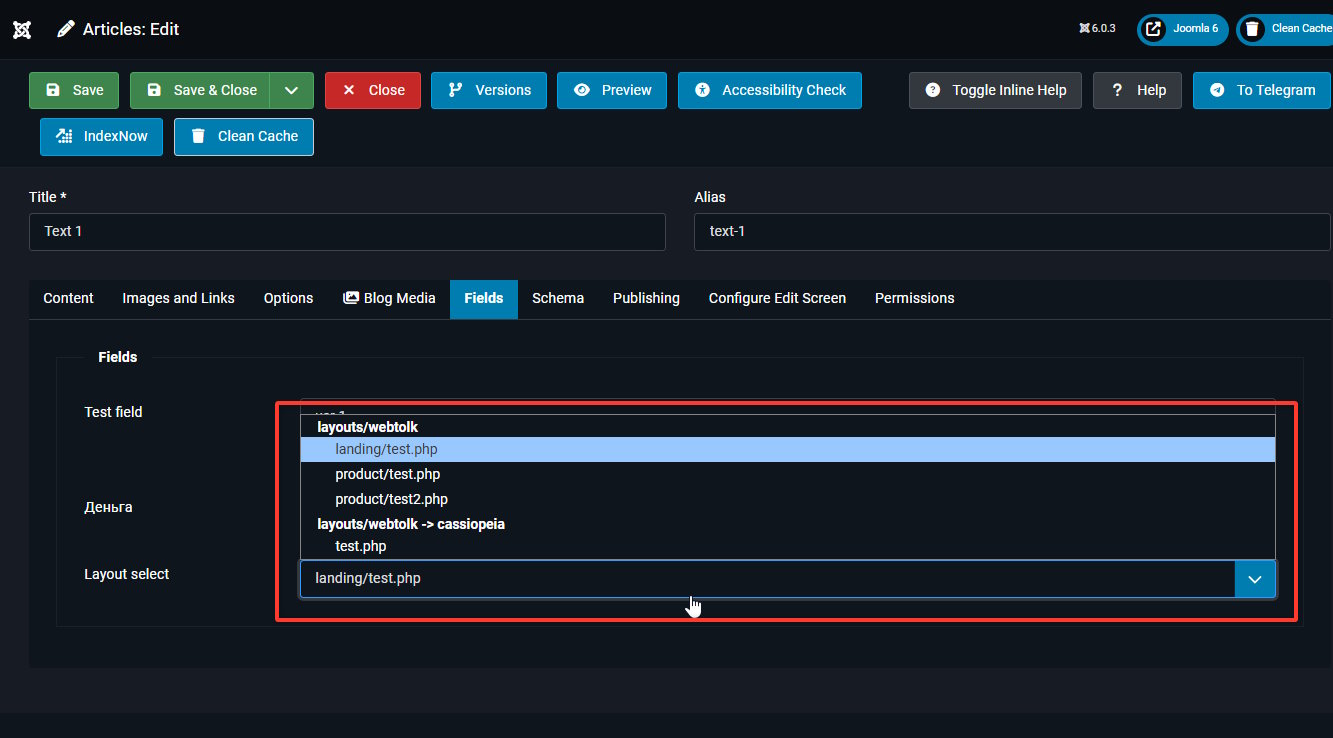
Joomla Custom field plugin: dropdown with PHP layout files from configured folders, including active template overrides.

The plugin adds a custom field type wtlayoutselect.
Joomla field capabilities:
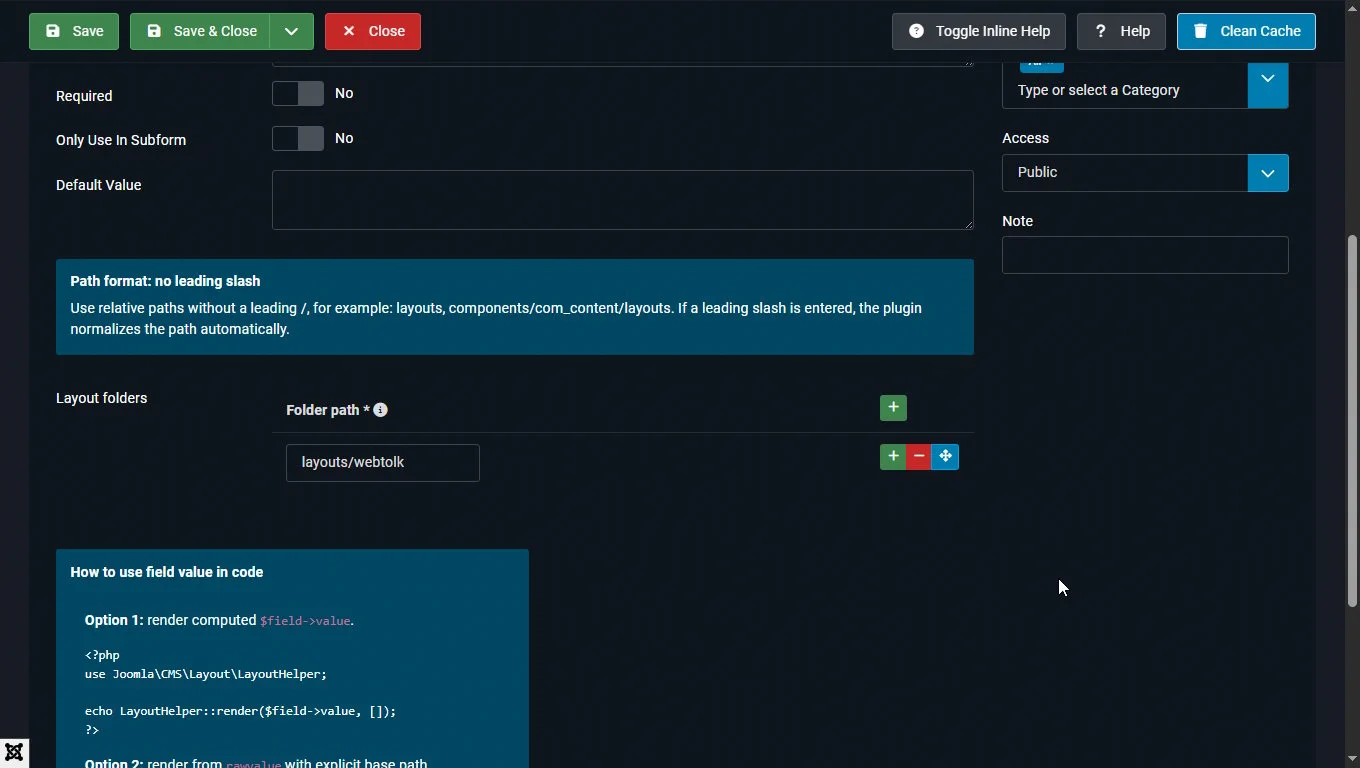
/templates/<template>/html/...);rawvalue with layout and basePath (JSON);value (layout_id) that can be used with Joomla LayoutHelper::render().This field is useful when you want to let a content manager choose a layout variant without editing template PHP files:
com_content): article sections, cards, CTA blocks;com_contact): different contact card templates;You use this field in your overrides for Joomla article/contact layouts or other components that support custom fields. To avoid automatic field output on the page, it is recommended to disable that in field settings. The field acts as a logical layout switch, and its output ($field->value) is primarily intended for developers.
$field->value<?php
use Joomla\CMS\Layout\LayoutHelper;
$field = $this->item->jcfields[14] ?? null;
if ($field && !empty($field->value)) {
echo LayoutHelper::render($field->value, ['item' => $this->item]);
}Or a variant of the same code with access by name (alias) of the field:
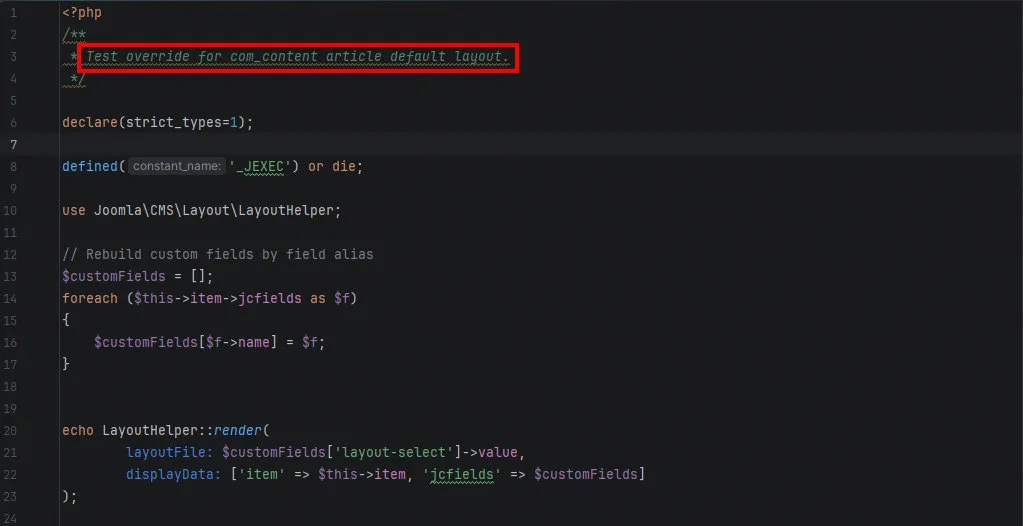
<?php
defined('_JEXEC') or die;

use Joomla\CMS\Factory;
use Joomla\CMS\Layout\LayoutHelper;

// Rebuild custom fields by field alias
$customFields = [];
foreach ($this->item->jcfields as $f) {
    $customFields[$f->name] = $f;
}

echo LayoutHelper::render(layoutFile: $customFields['layout-select']->value, displayData: ['item' => $this->item, 'jcfields' => $customFields]);rawvalue with basePath<?php
use Joomla\CMS\Layout\LayoutHelper;
$field = $this->item->jcfields[14] ?? null;
if ($field && !empty($field->rawvalue)) {
$raw = json_decode($field->rawvalue);
if (!empty($raw->layout) && !empty($raw->basePath)) {
echo LayoutHelper::render($raw->layout, ['item' => $this->item], $raw->basePath);
}
}layout_id you getExamples below are for field wtlayoutselect with selected file pricelist.php.
| Folder in field params | Where file is located | rawvalue (key part) |
Computed layout_id in $field->value |
|---|---|---|---|
layouts/com_content/article/sections |
JPATH_ROOT/layouts/com_content/article/sections/pricelist.php |
basePath=layouts/com_content/article/sections, layout=pricelist |
com_content.article.sections.pricelist |
layouts/com_content/article/sections |
templates/<template>/html/com_content/article/sections/pricelist.php (override) |
basePath=layouts/com_content/article/sections, layout=pricelist |
com_content.article.sections.pricelist |
templates/multizone/html/com_content/article/sections |
JPATH_ROOT/templates/multizone/html/com_content/article/sections/pricelist.php |
basePath=templates/multizone/html/com_content/article/sections, layout=pricelist |
templates.multizone.html.com_content.article.sections.pricelist |
components/com_contact/layouts/contact/parts |
JPATH_ROOT/components/com_contact/layouts/contact/parts/pricelist.php |
basePath=components/com_contact/layouts/contact/parts, layout=pricelist |
components.com_contact.layouts.contact.parts.pricelist |
Important:
layouts/..., the plugin removes layouts. prefix in $field->value so layout_id can be passed directly to LayoutHelper.JPATH_ROOT/layouts (for example, templates/..., components/...), layout_id includes full path in dot format.rawvalue with explicit basePath (option 2 above) is usually more reliable.Example call in article override (/templates/<template>/html/com_content/article/default.php):
<?php
use Joomla\CMS\Layout\LayoutHelper;

$field = null;

foreach (($this->item->jcfields ?? []) as $f) {
    if (($f->name ?? '') === 'article_layout_variant') {
        $field = $f;
        break;
    }
}

if ($field && !empty($field->value)) {
    echo LayoutHelper::render($field->value, ['item' => $this->item]);
}item is passed from article contextBelow are layout file examples (for instance in layouts/com_content/article/sections/...) when you pass ['item' => $this->item].
File: layouts/com_content/article/sections/lead.php
<?php
/** @var array $displayData */

defined('_JEXEC') or die;

extract($displayData);

if (empty($item)) {
    return;
}
?>
<section class="article-lead">
    <h2><?php echo htmlspecialchars($item->title ?? '', ENT_QUOTES, 'UTF-8'); ?></h2>

    <?php if (!empty($item->images)) :
        $images = json_decode($item->images);
        $intro  = $images->image_intro ?? '';
    ?>
        <?php if (!empty($intro)) : ?>
            <img src="/<?php echo htmlspecialchars($intro, ENT_QUOTES, 'UTF-8'); ?>" alt="">
        <?php endif; ?>
    <?php endif; ?>

    <div>
        <?php echo $item->introtext ?? ''; ?>
    </div>
</section>File: layouts/com_content/article/sections/specs.php
<?php
/** @var array $displayData */

defined('_JEXEC') or die;

extract($displayData);

if (empty($item)) {
    return;
}

$fields = $item->jcfields ?? [];
$sku    = null;
$price  = null;

foreach ($fields as $f) {
    if (($f->name ?? '') === 'sku') {
        $sku = $f->rawvalue;
    }

    if (($f->name ?? '') === 'price') {
        $price = $f->rawvalue;
    }
}
?>
<div class="product-specs">
    <?php if (!empty($sku)) : ?><p>SKU: <?php echo htmlspecialchars($sku, ENT_QUOTES, 'UTF-8'); ?></p><?php endif; ?>
    <?php if (!empty($price)) : ?><p>Price: <?php echo htmlspecialchars($price, ENT_QUOTES, 'UTF-8'); ?></p><?php endif; ?>
</div>File: layouts/com_content/article/sections/sidebar-modules.php
<?php
/** @var array $displayData */

defined('_JEXEC') or die;

use Joomla\CMS\Helper\ModuleHelper;

extract($displayData);

// Optionally choose position by article/category
$position = 'article-sidebar';

$modules = ModuleHelper::getModules($position);

if (empty($modules)) {
    return;
}
?>
<aside class="article-sidebar-modules">
    <?php
        // Render all modules from this position
        foreach ($modules as $module) : ?>
        <div class="article-sidebar-module">
            <?php echo ModuleHelper::renderModule($module, ['style' => 'none']); ?>
        </div>
    <?php endforeach; ?>
</aside>