WebTolk Joomla Extensions
113 Extensions
12 Categories
582 Versions released
896016 Downloads
Plugin for importing and exporting articles with custom fieldsю

The plugin allows you to export Joomla articles to a CSV file, after which you can edit the data in a tabular editor (for example, Exel or Open Office Calc) and then upload the file back. In some cases, it is more convenient and faster. The plugin allows you to upload tag IDs, as well as work with custom fields of Joomla articles, as well as usually non-editable properties of articles: hits, lmodified date, etc.
The first creator of the CFI plugin is the developer Aleksvolsk. He created versions 1.0.0-1.0.16 for Joomla 3 for Joomline studio. Then, in 2026, the plugin was transferred to WebTolk for further development.
For Joomla 3 and Joomla 4 is better to use the version from here or from GitHub.
You want to change the content of the meta description tag for the articles of the selected categories for the Joomla site. Going into each article, changing it, saving it is a long time. Export and import are faster. There is, of course, WT SEO Meta templates, but what if you don't use it or it doesn't fit your needs tasks.
For example, your website is a product catalog based on articles, and you need to change the values of some product fields and prices that are located in the user fields of Joomla articles. This plugin for exporting and importing articles will speed up this process.
You can export articles on one site and transfer them to another by editing them beforehand.
The PHP script is set to a limit of 0. Then the time limits are affected by the web server parameters:
fastcgi_read_timeout, proxy_read_timeout, client_body_timeout),Timeout, ProxyTimeout),request_terminate_timeout),which may cause the script to be stopped by the server.
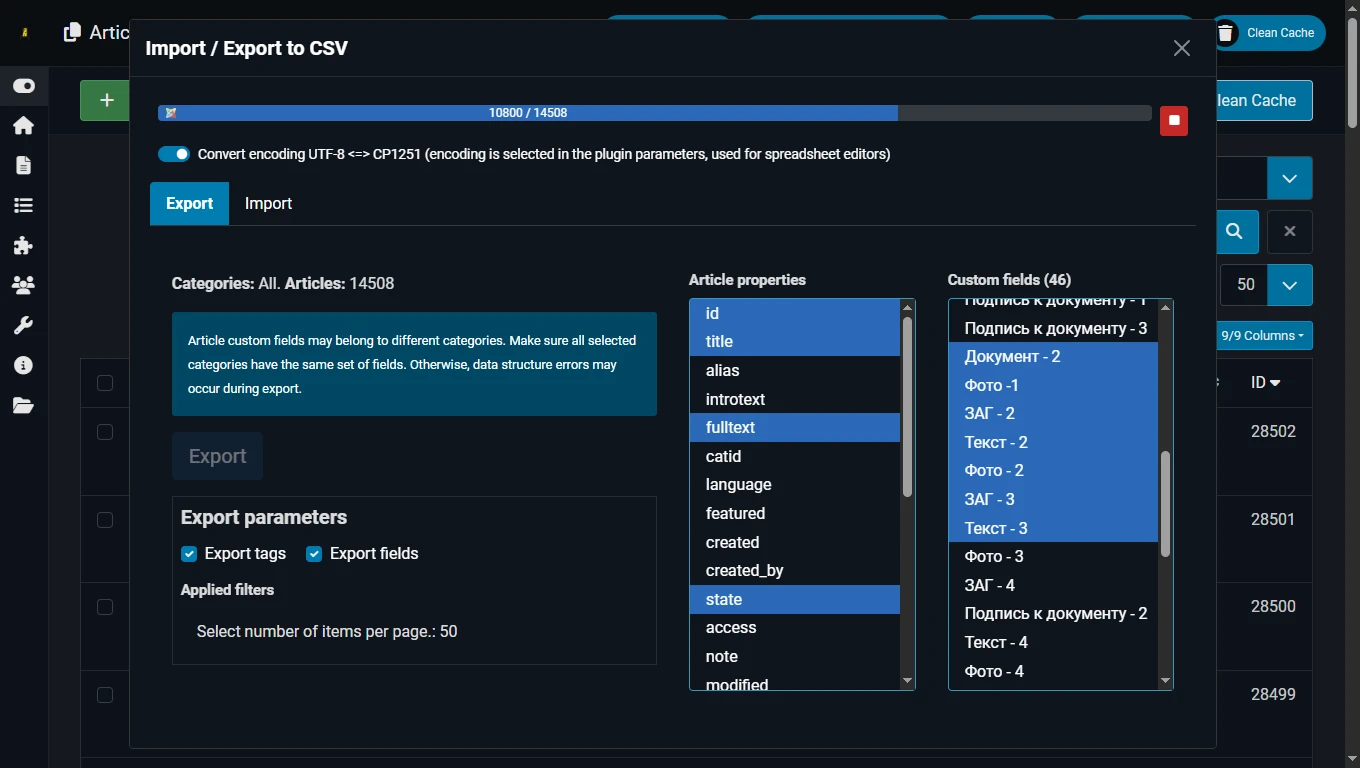
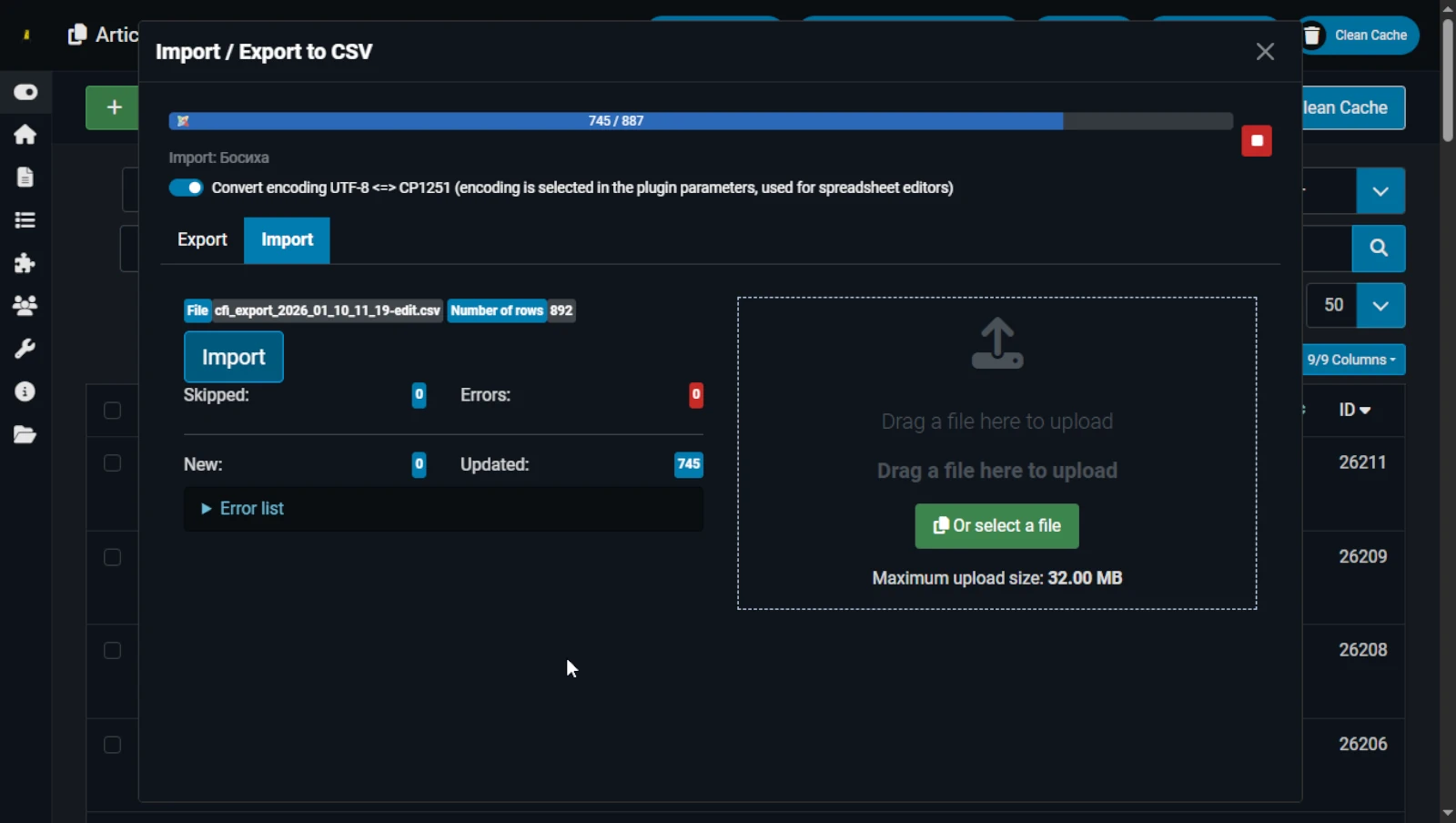
Export is faster than import. Import speed on a weak server can range from 3–4 to 10 articles per second. Export volume on a weak server can reach tens of thousands of articles, including custom fields. In tests, 14000 articles without custom fields were exported in slightly under 1.5 minutes.
The number of imported article properties has a big impact, including whether there are non-editable properties (hits, modified, etc.), as well as the number of custom fields. The more custom fields, the slower the import.
It is recommended to experimentally select the optimal amount of imported data and to import large numbers of articles in parts, since long and heavy processes are usually performed via the CLI.
During export, you can export up to several tens of thousands of articles.
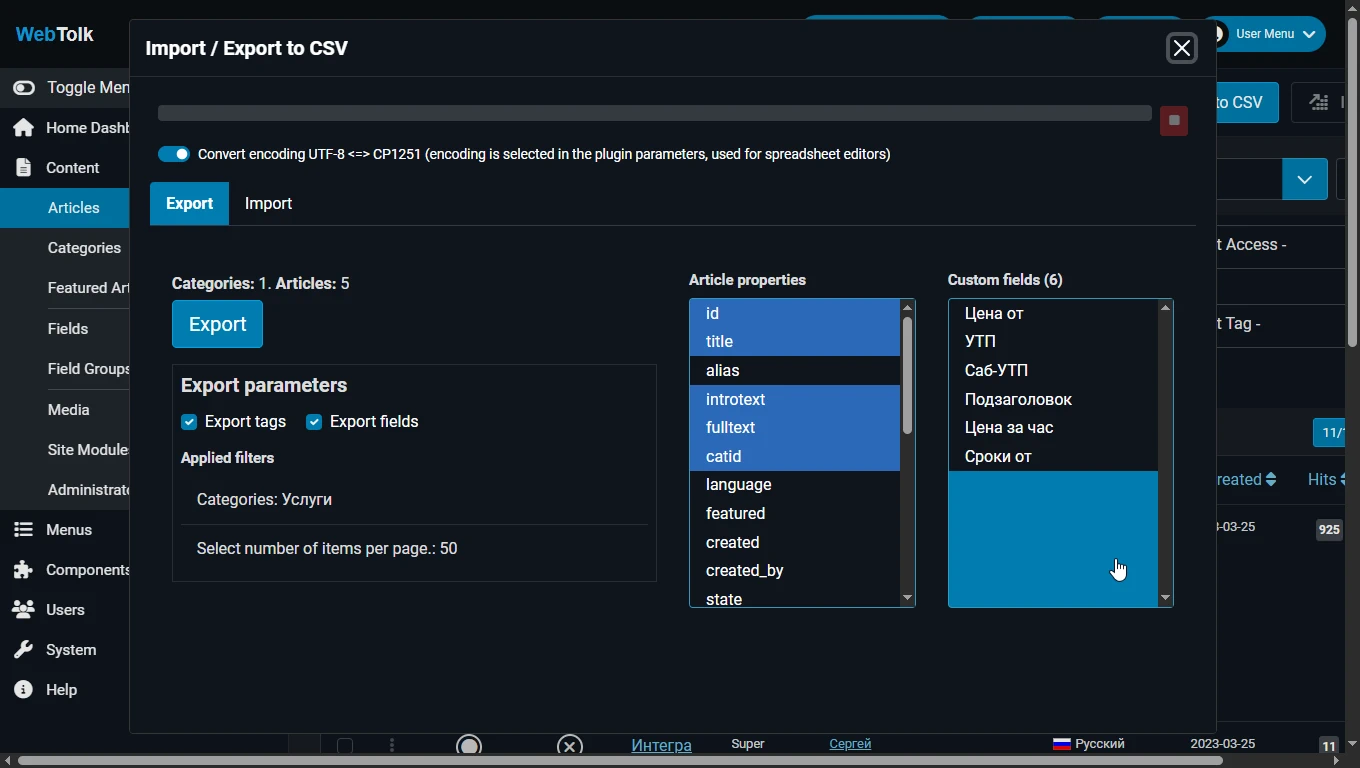
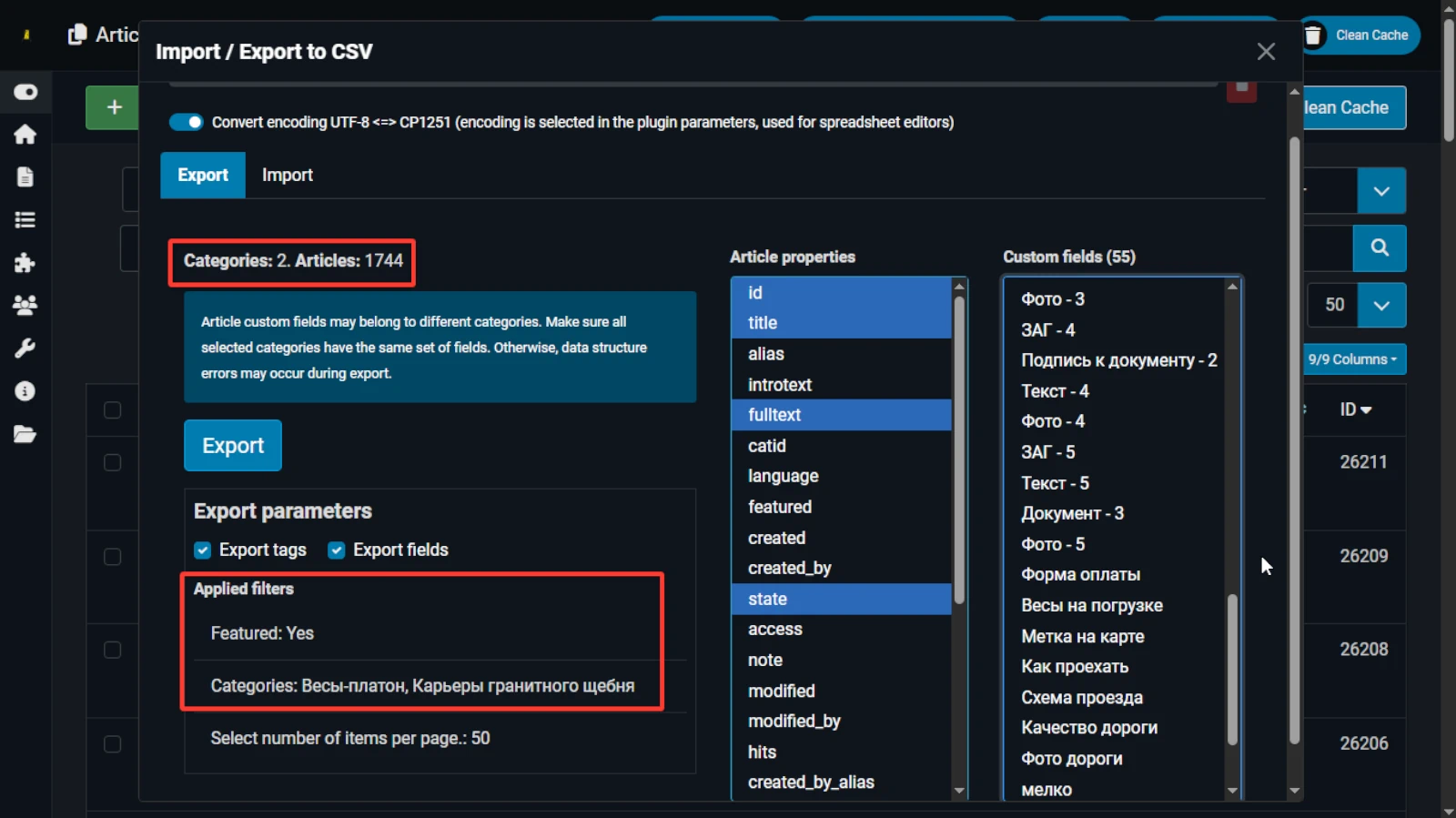
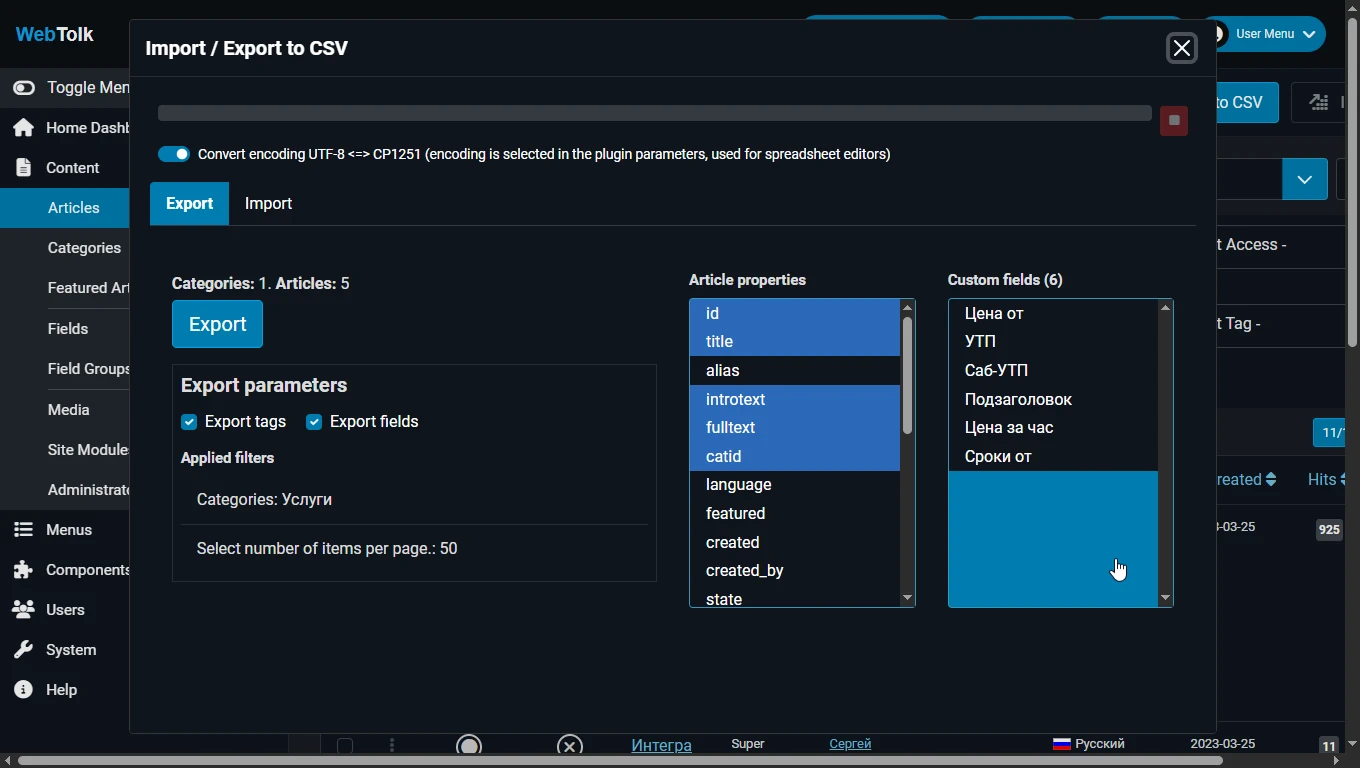
The export respects Joomla administrator panel article filters (search parameters). You can export articles from one or several selected categories, only featured, only published, only with specific tags, and so on.
The items per page parameter affects the number of articles in a batch retrieved from the database at a time.
In the export window, you can select which article properties (title, catid, etc.) should be exported. All article properties are prefixed with article: id → articleid.
Article properties are used as table headers. The id article property is always exported. Additionally, tag IDs can be exported.
You can select which custom fields should be exported or not exported at all. The system names of the custom fields are used as table headers.
Article custom fields may belong to different categories. Make sure that all selected categories have the same set of fields.
If some custom fields belong to all categories and some only to one category, the export will merge them into one table.
If the export contains articles from different categories whose fields belong only to those categories, the export will try to merge them into one table. However, the correctness of the export in this case is not guaranteed.
You can select only the id property and the custom fields you need. The import will then correctly process such a table.
With import, you can create new articles or update existing ones. The articleid column in the import table is used as the article identifier.
If the articleid column is empty or 0, the import will create a new article. If it is set, the article with the specified articleid will be updated.
If no category is specified for new articles (the catid column is missing or empty), the import will create the article in the default category (the first category in the list). For a new article, the articletitle field (article title) is mandatory.
For updating articles, the articleid field is mandatory. In the other columns, you can specify any article properties that you can see in the article creation form, including non-editable ones (hits – view count, modified – last modification date, etc.).
You can also use import to update only article custom fields. To do this, the import table must contain the articleid column, and the other column headers must match the system names of the custom fields.
The data format must also match what these fields expect: in some cases simple strings, and in others arrays or json.
When importing, there may be an error "Invalid file type" and "Invalid file type text/html", where instead of text/html other types may also be specified. Import checks the types of uploaded files for security reasons. This error is related to an incorrect MIME type of the file, which in this case depends on server settings. The correct MIME type for a csv file is text/csv or text/plain. If when downloading a csv file from the server it is assigned a default MIME type (text/html), you should contact your hosting technical support or server administrator to properly configure MIME types.
Data is exported to and imported from a CSV file with a mandatory ; delimiter.
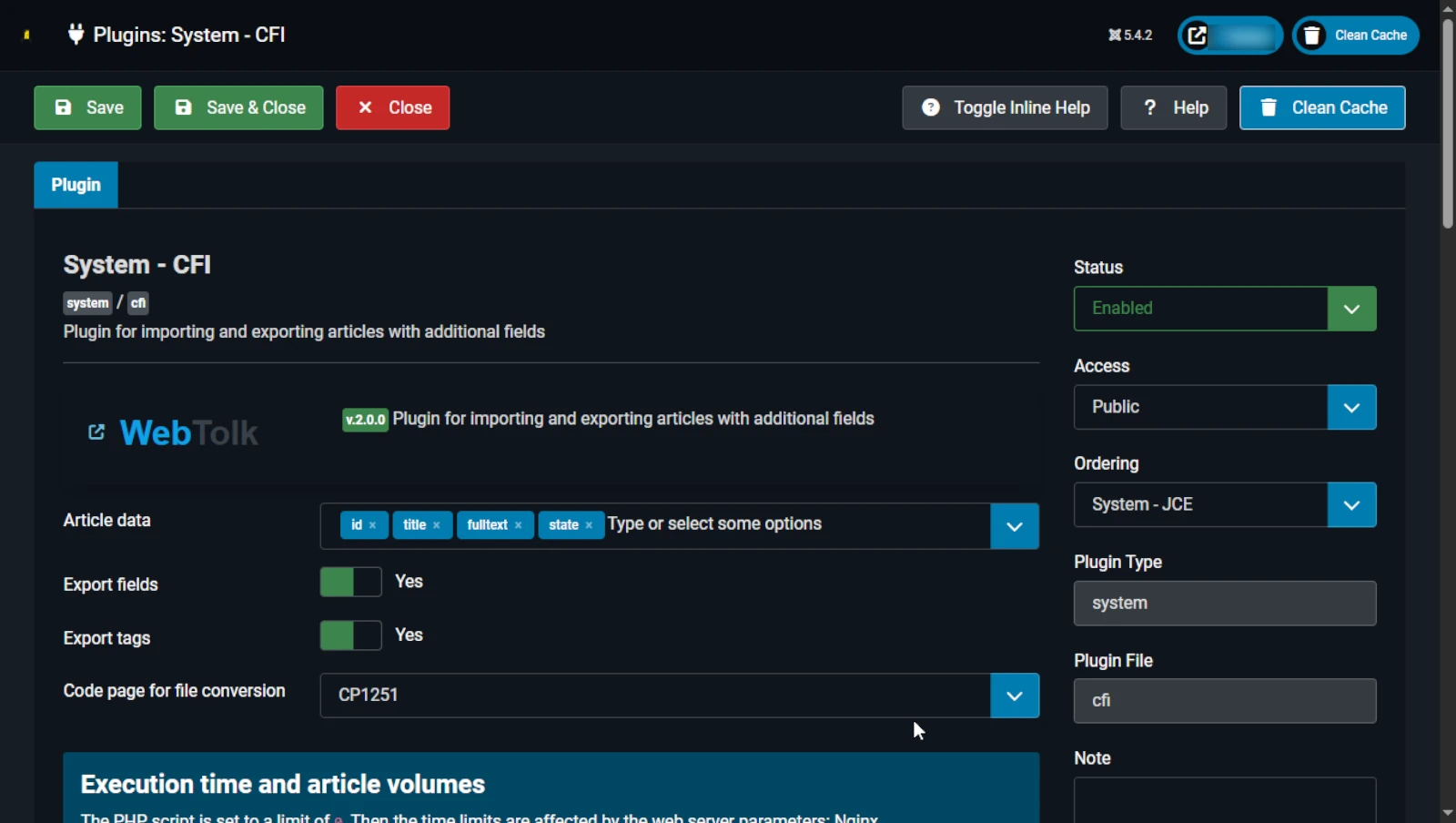
The default file encoding, if the “Convert encoding…” option is not enabled, is UTF-8 without BOM. Automatic conversion from the encoding specified in the plugin’s single setting is supported.
The first row of the file always contains the field headers.
The articleid field is mandatory. If it is missing, data import from the file will not be performed.
Any other field names are treated as names of article custom fields. If the specified custom fields do not exist for a given article, they will be ignored.
If the number of values in a row does not match the number of field headers, that row will be skipped. During import, article custom fields that are not present in the file are not affected.
Import error data is stored in the cfi.php log file in Joomla!’s standard log directory.
If no import errors occur, the imported file is deleted. Otherwise, the file is preserved in Joomla!’s standard temporary files directory.
During export, data is written to the file as-is, in the same format in which it is stored in your site’s database: plain text, HTML-formatted text, JSON structures, and other complex string structures.
For standard Joomla! configurable list-type fields that return stored data structures as non-associative arrays, the resulting file will contain JSON. For non-standard fields, the structure array:: is written before the JSON value. This is required so that during a possible subsequent import, the plugin can parse the JSON value from the file and assign a prepared array to the corresponding field.
If you did not understand the explanation above — that’s fine. Just do not modify the array:: value in your file, or remove that column entirely to avoid corrupting the data of the corresponding article field.
During import, data is validated by Joomla and can also be processed by third-party plugins of the cfi group.
The plugin developer is not responsible for incorrect content in imported files that may break your website.