WebTolk Joomla Extensions
113 Extensions
12 Categories
586 Versions released
917629 Downloads
The plugin sends JoomShopping order notifications to the Max messenger through the WT Max library. It can send after order creation, after successful payment, or when an order reaches a selected status.

WT Max bot - JoomShopping sends JoomShopping store order data to the Max messenger. Delivery is handled through the WT Max library and system plugin, so this JoomShopping plugin only configures when to send, how to render the message, and which chat receives it.
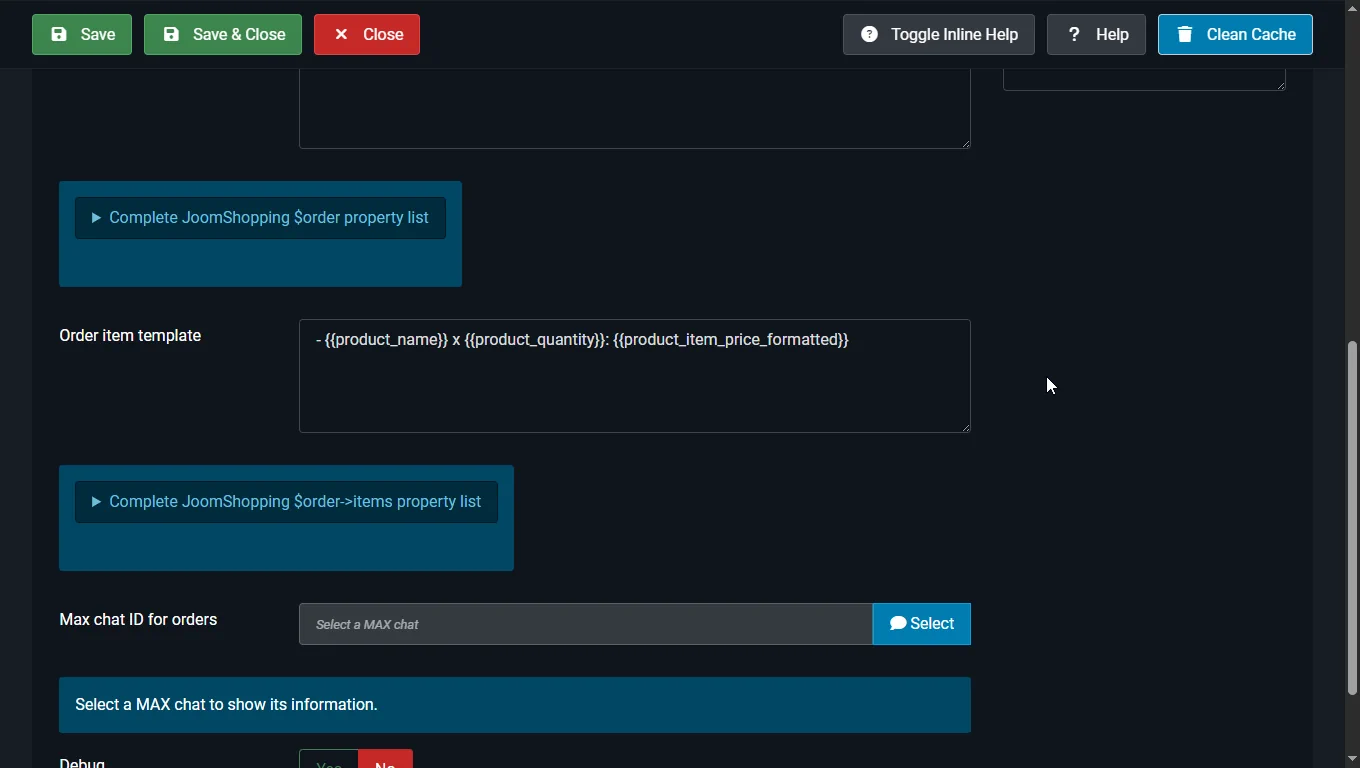
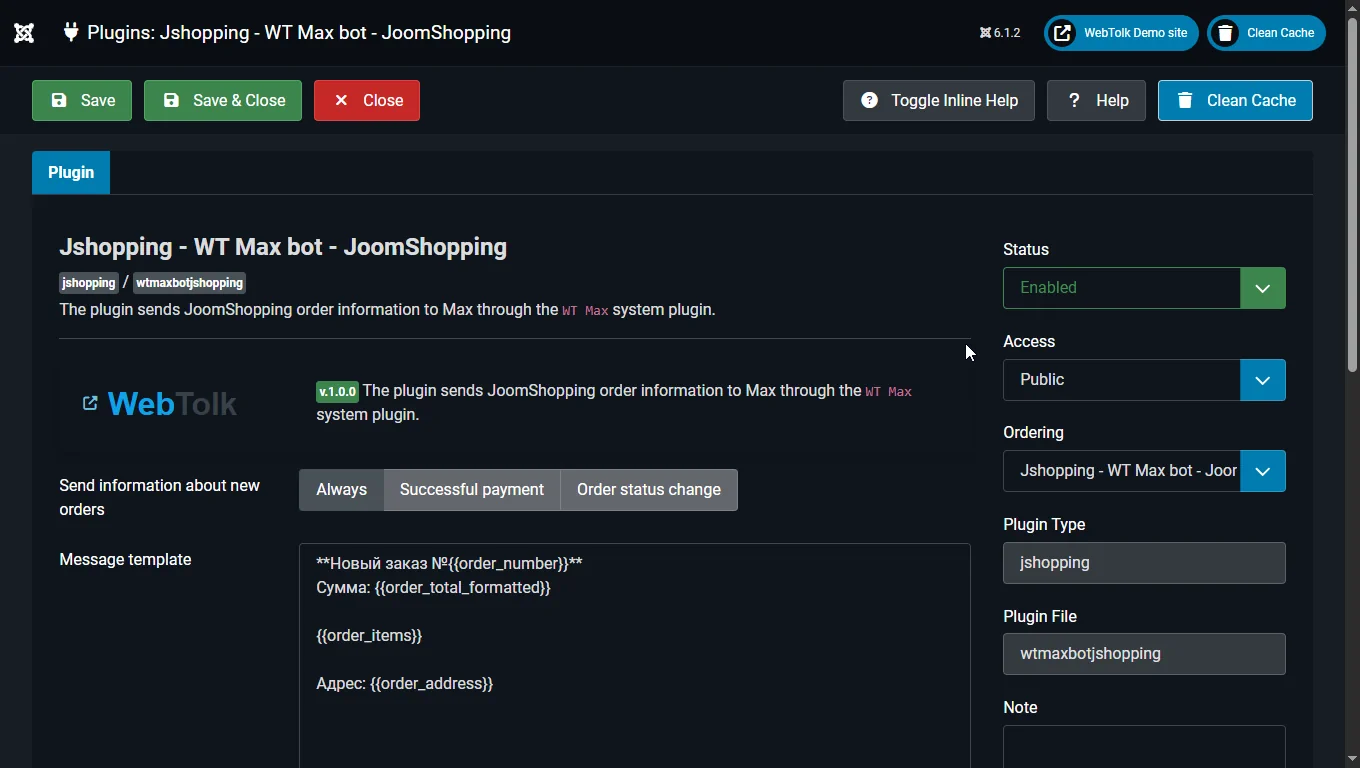
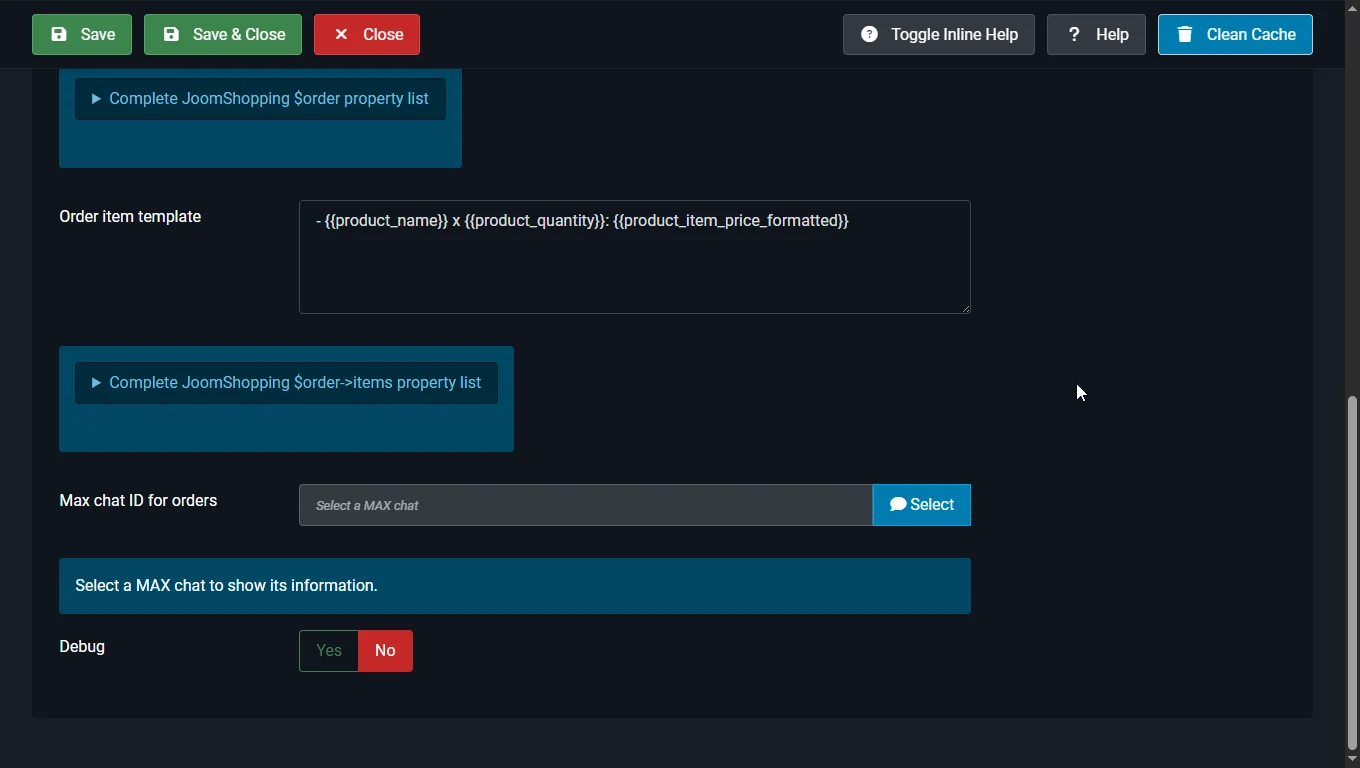
plg_jshopping_wtmaxbotjshopping.log.Always, Successful payment, or Order status change. What it does: selects the JoomShopping event that triggers a Max message. Why it matters: the store can notify managers immediately after checkout, only after payment, or only when the order reaches a workflow status.Order status change. What it does: limits notification delivery to the selected status. Why it matters: it is useful when a Max message should appear only after confirmation, payment, preparation for shipping, or another business step.{{order_number}}, {{order_total_formatted}}, {{order_items}}, and {{order_address}}. What it does: renders the final notification text. Why it matters: the message structure can be changed without editing plugin code.- {{product_name}} x {{product_quantity}}: {{product_item_price_formatted}}. What it does: renders every product line and inserts the result into {{order_items}}. Why it matters: the order composition can be formatted independently from the main message.chat_id in plugin parameters. Why it matters: orders can go to a dedicated managers chat without changing the global WT Max setup.Yes or No. What it does: when enabled, writes successful deliveries and diagnostic entries to plg_jshopping_wtmaxbotjshopping.log; errors are logged for troubleshooting. Why it matters: it helps identify why a notification was not sent or what Max returned.Shortcodes are named after JoomShopping order object properties. Scalar order and order-item fields are supported, along with plugin-computed values: {{order_items}}, {{order_items_count}}, {{order_address}}, {{order_billing_address}}, {{order_delivery_address}}, {{order_total_formatted}}, {{order_shipping_formatted}}, {{order_payment_name}}, {{order_shipping_name}}, {{order_status_name}}, and {{product_item_price_formatted}} for item rows.
The plugin stores an audit record for each order in its own table: order_id, Max delivery status, chat_id, and message_id. This makes delivery checks and integration debugging easier for developers.